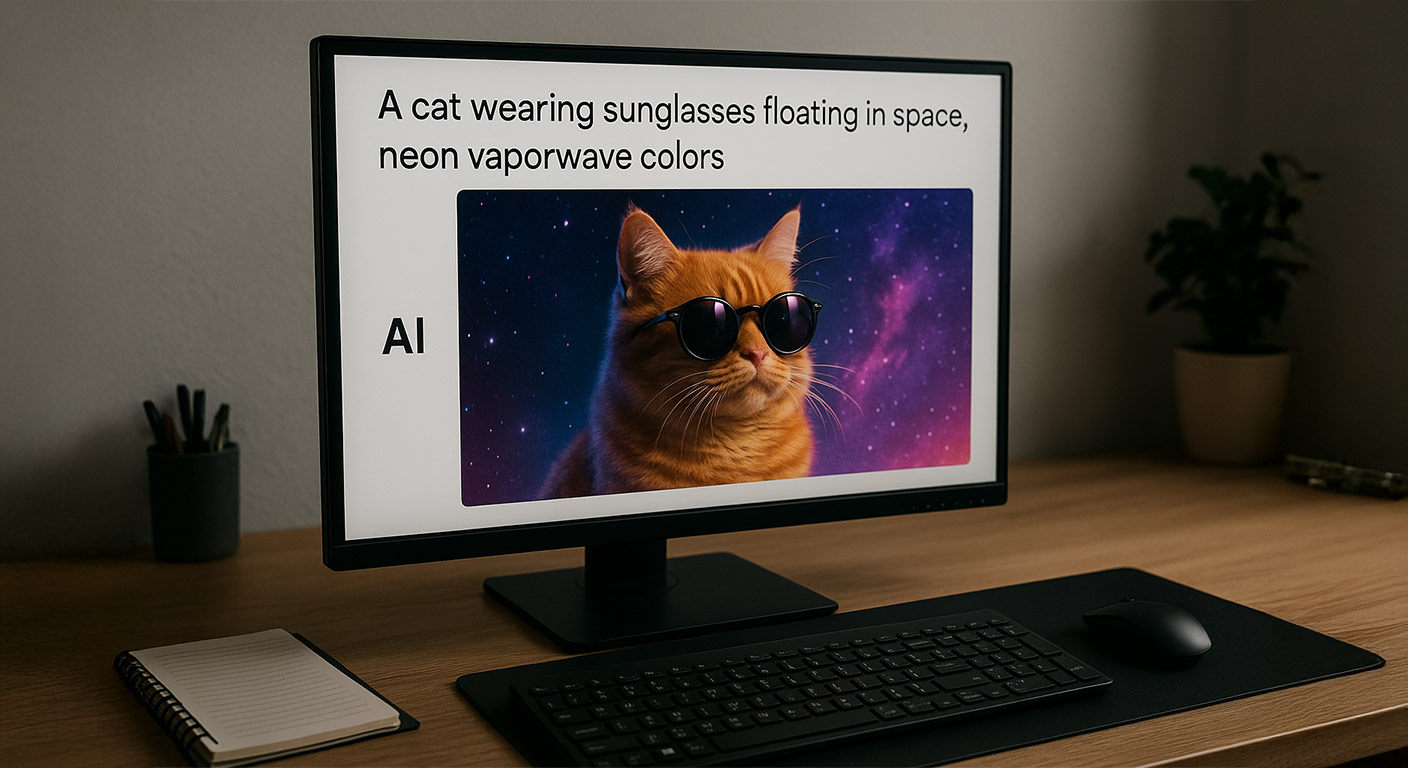

We've reached the point where typing “a cat wearing sunglasses floating in space, neon vaporwave colors” can magically turn into a full picture in seconds. No camera. No paint. No drawing tablet. Just words. This almost feels like cheating - so how does it really work under the hood?
In this guide, we'll break it down in plain English - no PhD required. Whether you're curious, skeptical, or just want to understand the tech behind the hype, here's what's actually happening when AI turns text into art.
See The Best AI Images Of 2025 At AiorNot.USStep 1: The AI Reads Your Words and Interprets Meaning
When you enter a prompt, the model doesn't understand images the way humans do. It understands patterns in language. Tools like **DALL-E, Midjourney, and Stable Diffusion** were trained on billions of image-caption pairs.
It has seen captions like:
- "Golden retriever catching a frisbee in a park"
- "Old lighthouse at sunset"
- "Cyberpunk city with flying cars"
Over time, it learns what words statistically connect to what visual elements. So when you ask for a “futuristic city,” it pulls from its learned mapping of lights, angles, colors, urban structures, rain effects, neon signs, etc.
AI doesn't “know” - it predicts what image makes sense based on millions of examples.
Good Read: The Psychology Behind Why Some Ai Images Go Viral
Step 2: The AI Generates Noise - Then Removes It
This is the part that feels like magic. Most AI models start with **pure noise** - like static on an old TV. Then they gradually refine it, removing randomness piece by piece and nudging it toward the visual idea in your prompt.
Think sculpting marble - but backwards. Instead of carving material away, it starts chaotic and organizes itself into form.
Text → Noise → Structure → Detailed Image
Step 3: The Model Adds Style, Texture, and Realism
If your prompt says “cinematic lighting,” it knows to add contrast and depth. Say “watercolor style,” and it swaps photorealism for soft edges and pigment patterns. The richer your description, the sharper the AI's direction.
Prompts are not commands - they're ingredients. The quality of the dish depends on what you feed it.
- “A dog” → Plain output
- “A golden retriever puppy, soft natural light, shallow depth of field, 50mm lens, backyard grass, sunset glow” → Magazine-worthy photo
Context is king.
Good Read: 7 Key Signs For Identifying AI Images
Step 4: The AI Iterates - A Lot
Even if it takes five seconds to generate, inside the model it's running layer after layer of refinements, improving every pixel. That's why you can ask for **variations**, **upscales**, or **edits**.
Most tools let you:
- Add or remove objects
- Change composition or lighting
- Regenerate backgrounds
- Switch between styles
- Upscale to higher resolution
The process is collaborative. You guide - it generates - you refine - it improves.
Why This Still Doesn't Replace Human Creativity
AI can produce technically beautiful images, but it doesn't know why something should be beautiful. It can mimic emotion, but it doesn't feel it. It doesn't experience heartbreak, nostalgia, or that weird urge to repaint your living room at 3am.
As one artist put it:
"AI can generate art. Humans generate meaning."
The real magic happens when we collaborate - imagination becomes direction, direction becomes output.
Good Read: The Visual Hallmarks Of AI ImagesQuick Prompt Template for Better Results
Try this structure next time you generate:
[Subject] + [Style] + [Lighting] + [Camera details/visual tone] + [Extra mood details]
Example:
"A vintage red bicycle leaning against a brick wall, warm sunset lighting, 35mm film grain, nostalgic mood, shallow depth of field"
You'll be surprised how far clear descriptive language goes.
Play our game and guess which images are real vs AI-generated:
👉 Play AI or Not
In the end, AI doesn't replace imagination - it amplifies it. Words become visuals, ideas become pixels, and creativity becomes lightning in a bottle. The prompt is your spell. The model is just the wand.