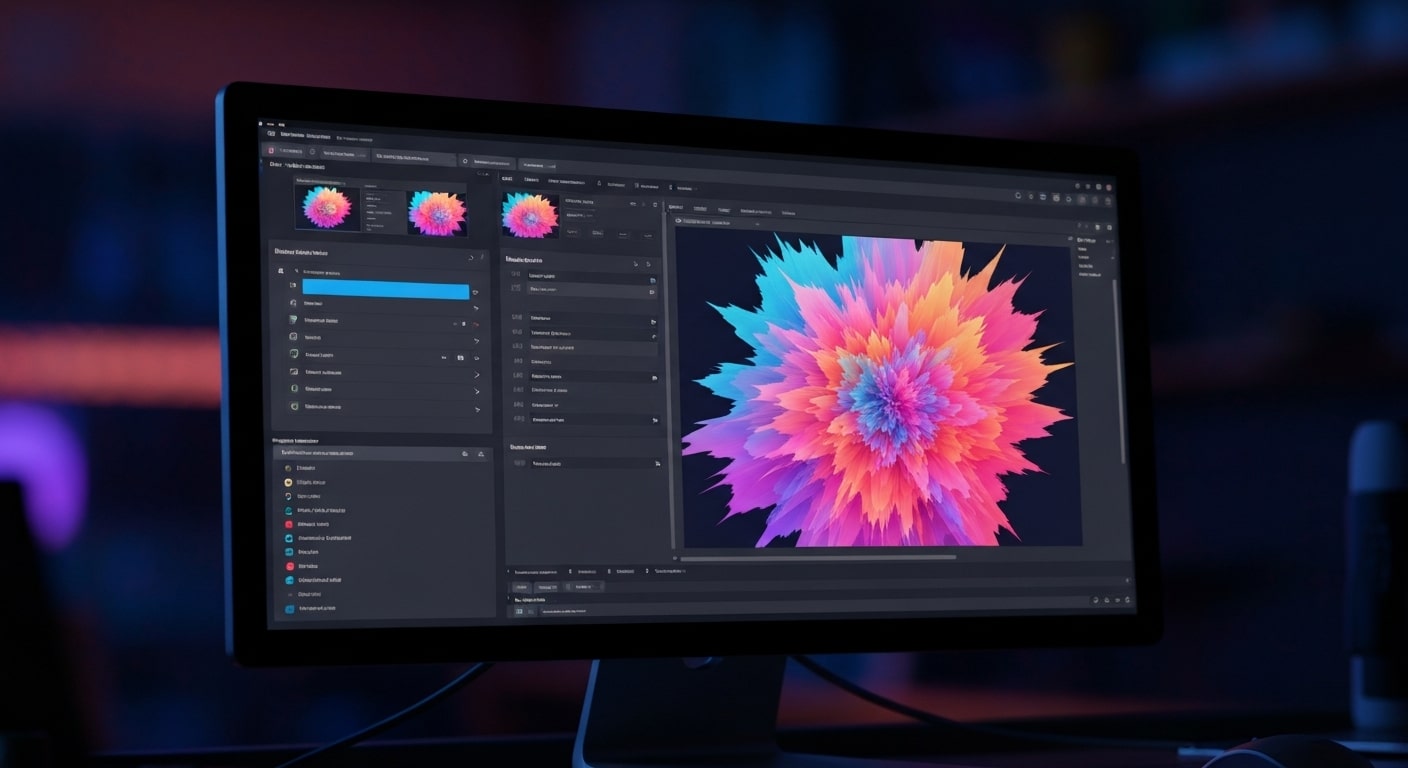

What Happens When Words Become AI-Generated Images
-
An AI image generator takes a written prompt and turns it into a visual, which is why the words you choose matter so much. Someone creating a blog image, social post, or product mockup can describe the scene they want and let generative AI build the first version in seconds.
-
The image generation process works by using machine learning models to interpret your description, connect it with visual patterns, and produce an image that matches the idea as closely as possible. A prompt like “a modern coffee shop at sunrise” gives the system a basic direction, but adding details about lighting, style, camera angle, and mood usually creates a much stronger result.
-
Behind the scenes, technologies like Generative Adversarial Networks, often called GANs, and diffusion models help AI systems create images from scratch instead of simply copying one picture. That’s why AI-generated images can look completely new while still feeling realistic or familiar.
-
The best results usually come from specific text descriptions. If you ask for “a dog,” the output may feel plain. If you ask for “a realistic golden retriever sitting on a city apartment balcony during golden hour,” the AI image generator has a much clearer creative target.
-
These tools now show up in everyday creative work, not just experimental tech demos. Marketers use them for ad concepts, small businesses test product visuals, creators build thumbnails, and designers explore new directions before moving into a final edit.
How AI Image Generators Turn Ideas Into Visuals
Most people have had a moment where they pictured something creative in their head but had no easy way to actually make it. Maybe it was a concept for a blog graphic, a social media ad, a fantasy scene, or a product idea you wanted to visualize quickly. AI image generators are changing that. Instead of needing advanced design skills or expensive software, you can now type a simple description and watch artificial intelligence turn those words into a full image within seconds.
That shift is making digital content creation far more accessible. Marketers are testing ad concepts faster, creators are building visuals for videos and websites, and small businesses are experimenting with graphics they never would have paid to produce before. This guide breaks down how AI image generators work behind the scenes, how they understand text prompts, and what actually happens between typing an idea and seeing the final image appear on screen.What Are AI Image Generators?
At its core, an AI image generator is a software tool that uses a special type of AI called generative AI. This technology doesn't just analyze existing images; it creates entirely new ones from scratch. You provide a description, and the AI handles the complex process of image generation.
These tools are trained on massive datasets of pictures and their corresponding text descriptions. This training allows the AI to learn the relationships between words and visual elements, enabling it to produce images that match what you've described. Next, we will explore this process in more detail, from how the AI understands you to the different types of generators available.
Defining AI Image Generation in Everyday Language
Imagine you're describing a picture to a super-talented artist who has studied millions of images. You give them a simple text prompt, like "a red sports car driving on a coastal road at sunset." The AI image generator acts like that artist. It takes your words, understands each component-the car, the road, the sunset-and uses its vast knowledge to paint a new picture for you.
The process begins the moment you input your description. The AI model breaks down your prompt to identify the subject, the setting, the style, and other key details. It doesn't copy and paste from existing photos. Instead, it generates a unique image that reflects the concepts it learned during its training.
This ability to create something new is what makes this technology so powerful. The image creation process is a blend of understanding language and visual synthesis, allowing you to turn simple phrases into detailed and original artwork.
Types of AI Image Generators: Text-to-Image and Image-to-Image
AI image generation technology generally falls into two main categories: text-to-image and image-to-image. Understanding the difference helps you choose the right tool for your project.
Text-to-image is the most common type. As the name suggests, you provide a text prompt, and the AI generates a brand-new image from scratch based on that description. This is perfect for creating something entirely from your imagination.
On the other hand, image-to-image generators modify an existing picture. You might upload a photo and apply the artistic style of another image to it, or use a text prompt to alter specific parts of your original image. This approach is great for tasks like style transfer or editing.
- Text-to-Image: Creates a new image based only on a written description.
- Image-to-Image: Starts with an existing image and modifies it based on a style reference or text prompt.
- Neural Style Transfer: A specific type of image-to-image generation that applies the visual style of one image to the content of another.
Where Are AI Image Generators Used Today?
AI image generators have moved beyond just being a fun novelty and now have many practical applications across various industries. Businesses and creators are using these tools to produce high-quality visuals quickly and cost-effectively.
From marketing to entertainment, the use cases are expanding daily. For example, marketers use them to create eye-catching graphics for social media campaigns, while fashion designers can visualize new clothing concepts without creating physical samples. Even professional artists are adopting this technology as a new medium for digital art.
Here are just a few places you'll find AI-generated images:
- Marketing and Advertising: Creating engaging content for social media and ads.
- Product Design: Visualizing concepts for new products and virtual clothing.
- Entertainment: Developing concept art and characters for video games and movies.
- Art: Professional artists use AI as a tool to create unique pieces, with some even winning competitions like the Colorado State Fair fine arts competition.
- Content Creation: Generating unique blog post headers, book covers, and illustrations.
What started as a niche creative tool is now being used in real marketing campaigns by some of the biggest companies online. Brands are generating product visuals, ad creatives, lifestyle images, and social media content with AI because it cuts down production time and gives teams more room to test ideas quickly. In many cases, people scrolling through those campaigns never realize the visuals were AI-generated in the first place, which says a lot about how advanced the technology has become. That growing shift is exactly why more marketers are paying attention to how major brands are using AI-generated images to increase engagement and drive sales across digital platforms.
How Do AI Image Generators Understand Prompts?
The magic of AI image generation begins with understanding your words. When you type in a text prompt, the AI doesn't just see a string of letters. Instead, it uses sophisticated machine learning models to interpret the meaning, context, and relationships between the words you've used.
This interpretation phase is crucial, as it creates the blueprint for the final image. The AI's ability to accurately translate your request into a set of instructions guides the entire image generation process. The following sections will explain how Natural Language Processing (NLP), machine learning, and training data all work together to make this happen.
Natural Language Processing (NLP) Basics
Natural Language Processing, or NLP, is a field of artificial intelligence that helps computers understand and interpret human language. In AI image generation, NLP is the first step in decoding your text prompt. It acts as a translator, converting your creative ideas into a format the machine can work with.
When you submit a prompt, the NLP model gets to work. It breaks down your sentences to identify the core components of your desired image. This process involves converting your words into numerical representations, also known as embeddings, that capture their meaning and context. This is how the AI knows that "cat" and "kitten" are related, or that "gloomy" and "dark" suggest a certain mood.
NLP helps the AI understand:
- Objects: The main subjects of the image (e.g., "a woman," "a tree").
- Attributes: The descriptive details of those objects (e.g., "tall," "green").
- Relationships: How the different elements in the prompt interact with each other.
- Style: The overall artistic direction (e.g., "oil painting," "photorealistic").
Machine Learning and Prompt Interpretation
Once Natural Language Processing has translated your words into a numerical format, machine learning takes over for prompt interpretation. This is where the AI models begin to form a concrete plan for creating your image. Think of this as the AI creating a "rulebook" or a set of instructions for the visual generator to follow.
The AI models analyze the numerical representations to understand the deeper relationships between the elements you described. For example, if your prompt is "a cat sitting on a mat," the model understands that the "cat" should be positioned "on" the "mat," not floating beside it. This spatial and conceptual understanding is a result of its extensive training.
This interpretation is a critical step that bridges the gap between language and visuals. The AI isn't just matching keywords; it's building a comprehensive scene based on the instructions it derived from your prompt. This detailed plan is then passed on to the image generation technology, which will start building the picture pixel by pixel.
Role of Training Data in Understanding User Requests
An AI generator learns to create images in the same way a human learns: through experience and examples. This "experience" comes from its training data, which consists of a vast amount of data, typically millions or even billions of images paired with their text descriptions.
During the training process, the model is shown an image and its corresponding text over and over again. This repetition teaches the AI to associate words like "dog" with the visual characteristics of dogs-fur, four legs, a tail. It also learns more abstract concepts, like associating the word "serene" with images of calm lakes or peaceful forests. The diversity and quality of this data set are incredibly important.
Ultimately, the AI generator's ability to understand your request is a direct reflection of the data it was trained on. If the training data is rich and varied, the AI will have a more nuanced understanding of the world and be better equipped to generate accurate and creative images from your prompts.
As AI-generated images become more common in ads, blog posts, branding, and product design, another question keeps coming up behind the scenes: who actually owns the image once it’s created? A business might generate a logo concept with AI, or a creator could use an AI-generated visual in a marketing campaign, but copyright laws around artificial intelligence are still evolving quickly. That uncertainty is why more people are looking into how copyright and ownership rights work with AI-generated images before using them commercially.
Core Technologies Behind AI Image Creation
Once your prompt is understood, the heavy lifting of image creation begins. This is handled by powerful generative AI technologies built on complex structures called neural networks. These networks are designed to generate new data, in this case, pixels that form an image, based on the instructions they receive.
There isn't just one type of image generation technology; different models use different approaches to achieve their results. In the sections that follow, we'll look at some of the most important technologies, including Generative Adversarial Networks (GANs) and Diffusion Models, which power many of the tools you see today.
Generative Adversarial Networks (GANs)
Generative Adversarial Networks, or GANs, are a fascinating type of machine learning model that uses a competitive process for image creation. A GAN consists of two artificial neural networks that are pitted against each other: a Generator and a Discriminator.
Think of the Generator as an art forger trying to create a convincing fake, and the Discriminator as an art expert trying to spot the forgery. The Generator starts by creating images from random noise, and at first, its creations are easy to spot as fake. The Discriminator, which has been trained on real images, easily rejects them.
This feedback loop forces the Generator to get better. With each cycle, it adjusts its approach to produce more realistic images. The competition continues until the Generator's creations are so good that the Discriminator can no longer tell the difference between the real and fake images. This adversarial process results in the ability to generate highly detailed and realistic images.
Diffusion Models and Latent Diffusion
The diffusion model is another popular technology, known for producing extremely high-quality images. This approach works by starting with an image of pure random noise, like the static on an old TV screen, and gradually refining it into a coherent picture.
The process is guided by your text prompt. The model iteratively removes the Gaussian noise in a series of steps, slowly revealing an image that matches your description. Imagine a sculptor starting with a block of marble and chipping away until a statue emerges-a diffusion model does something similar with visual noise. Popular tools like Midjourney and Stable Diffusion are based on this technique.
Latent diffusion is a more efficient version of this process. Instead of working with massive, high-resolution images, it works in a compressed "latent" space. This allows the model to generate detailed images much faster and with fewer computing resources, making it a critical innovation for modern AI image generators.
Neural Style Transfer and Artistic Variations
Neural Style Transfer (NST) is a deep learning application that allows an image generator to create stunning artistic variations. (Watch Video Explanation Here >>) Instead of creating an image from scratch, NST takes the content of one image and fuses it with the artistic style-the colors, patterns, and textures-of another.
This technique doesn't just overlay one image on top of another. Instead, it uses convolutional neural networks to analyze and separate the "content" from the "style." For example, you could take a photo of your dog and apply the style of a Van Gogh painting, resulting in a unique piece of art that looks like your dog was painted by the famous artist.
This process enables an incredible range of creative possibilities. The main components of NST are:
- Content Extraction: The model identifies the core subjects and structures of the main image.
- Style Extraction: It analyzes the textures, colors, and patterns from the style image.
- Image Fusion: It generates a new image that preserves the original content while adopting the new style.
- Loss Functions: It uses optimization to balance the content and style, ensuring a cohesive final image.
Beginner's Guide: Getting Started with AI Image Generators
Ready to try your hand at creating your own AI images? Getting started with an AI image generator is easier than you might think. These tools are designed to be user-friendly, allowing anyone to become an image creator without needing any technical expertise or complicated software.
Whether you want to make unique art for fun, design visuals for your blog, or create engaging posts for social media platforms, an AI image creator can help. The following sections will walk you through everything you need, from choosing the right tool to crafting your very first prompt.
Not all AI models work the same way behind the scenes, and the differences start to matter once you begin creating content, generating images, or building workflows around artificial intelligence. Some models are better at reasoning, others handle creative tasks more naturally, and a few are designed specifically for speed or multimodal outputs. That’s why people experimenting with AI tools often end up comparing the top large language models and AI systems being used across the industry today to better understand which platforms perform best for different types of tasks.
What You Need: Devices, Internet, and Tools
You don't need a supercomputer or expensive software to begin your journey with AI image creation. The basic requirements are simple and accessible to most people. For the most part, if you can browse the web, you can create AI images.
Most AI image generator tools are web-based, meaning you can access them directly through your internet browser. This saves you from having to download or install any complex programs on your devices. All the heavy computational work is done on the company's servers, not your computer.
Here is the basic setup you'll need:
- A Device: A smartphone, tablet, or computer is all you need.
- An Internet Connection: A stable internet connection is necessary to access the online tools and generate images.
- An AI Generator Tool: You'll need to sign up for an AI image generator platform, many of which offer free trials or credits to get started.
Choosing the Right AI Image Generator for Your Needs
With so many options available, selecting the right AI image generator can feel overwhelming. The best choice for you depends entirely on your goals, budget, and stylistic preferences. Each platform uses slightly different image generation technology, leading to unique strengths.
Some generators are known for creating incredibly realistic photos, while others excel at producing artistic styles like cartoons or oil paintings. Consider what kind of images you want to create. Are you looking for visuals for a professional presentation or whimsical art for a personal project? Also, look at features like ease of use, available styles, and settings like aspect ratio control.
Many platforms offer free trials, so don't be afraid to experiment. Try the same prompt on a few different services to see which one delivers results that best match your vision. This hands-on experience is the best way to find the AI image generator that feels right for you.
Popular Platforms: DALL-E, Midjourney, and Stable Diffusion
Three names consistently stand out in the world of AI image generation: DALL-E, Midjourney, and Stable Diffusion. Each AI generator offers a unique experience and excels in different areas, making them popular choices for different types of users.
DALL-E, developed by OpenAI, is known for its user-friendly interface and its ability to understand natural language prompts very well. Midjourney is famous for creating highly artistic and stylized images, often with a distinct, polished look. It operates primarily through the Discord chat platform. Stable Diffusion is an open-source model, which means it's highly customizable and has a large community of developers building on it.
To help you compare, here's a quick breakdown:
| Feature | DALL-E | Midjourney | Stable Diffusion |
|---|---|---|---|
| Best For | Beginners, realistic images, concept art | Artistic, stylized, and high-quality images | Customization, technical users, variety |
| Access | Web application (ChatGPT/Microsoft Designer) | Discord server | Various web apps and local installs |
| Ease of Use | Very easy, conversational | Moderate learning curve (Discord commands) | Varies from easy to complex |
Step-by-Step Guide to Creating Your First AI Image
Now that you understand the basics, it's time for the fun part: creating your first AI image! The process is surprisingly straightforward. Using an AI image generator or picture generator is an exciting way to see your ideas come to life visually.
This simple, four-step guide will walk you through the entire image creation process, from picking a platform to downloading your final masterpiece. Follow along, and you'll be generating your own unique images in no time.
Step 1: Select an AI Image Generator Platform
The very first step on your creative journey is to choose an AI image generator platform. Based on the popular options we discussed earlier, you can pick one that aligns with your needs. If you're a beginner, a user-friendly option like DALL-E (often integrated into tools like ChatGPT) is a great place to start.
Once you've selected an AI image creator, you'll likely need to create an account. Many platforms offer a certain number of free generations to help you get acquainted with their system. Take a few moments to explore the interface and see where the text prompt box and settings are located.
Don't worry about making the "perfect" choice right away. The goal here is to get comfortable with one image generator. You can always try others later as you become more familiar with the process and develop a better sense of what you want to create.
Step 2: Write a Clear and Detailed Text Prompt
This is the most important step in the process. The quality of your text prompt directly influences the quality of the image the AI models produce. Vague prompts lead to generic images, while specific and descriptive prompts result in detailed images that are much closer to your vision.
Think like an artist painting a scene. What is the subject? What is the background? What is the mood or style? The more details you provide, the better the AI can understand what you're imagining. Use descriptive adjectives and clear language.
To write an effective prompt, try to include:
- Subject: Clearly define the main person, animal, or object.
- Details: Add specifics like color, texture, and clothing.
- Setting: Describe the environment or background. For example, "in a futuristic city" or "in a sunlit forest."
- Style: Mention an artistic style like "oil painting," "3D render," "cartoon," or "photorealistic."
Step 3: Adjust Settings Like Style, Resolution, or Number of Images
Beyond the text prompt, most AI image generators offer settings that give you more control over the final output. Before you hit "generate," take a moment to explore these options. Adjusting them is a key part of refining your AI image creation process.
These settings allow you to fine-tune the image without having to change your prompt. For example, you can generate the same scene in different styles or sizes to see which one works best. Experimenting with these options is a great way to get different images and discover new creative possibilities.
Common settings you can adjust include:
- Style: Many platforms have preset styles like "cinematic," "anime," or "black and white" that you can select.
- Resolution: Choose the quality or size of the final image. Higher resolution means more detail but may take longer to generate.
- Aspect Ratio: Select the shape of your image, such as square (1:1), widescreen (16:9), or portrait (9:16).
- Number of Images: Generate multiple variations at once to give yourself more options to choose from.
Step 4: Generate and Download Your Image
Once your prompt is written and your settings are configured, you're ready for the final step. Click the "generate" button and watch as the AI brings your idea to life. This process can take anywhere from a few seconds to a minute, depending on the complexity of your request and the platform you're using.
After the generation is complete, you'll be presented with one or more images. Review the generated image options and select your favorite. Don't be discouraged if the first result isn't perfect. It often takes a few tries or slight tweaks to your prompt to get exactly what you want.
When you have an image you're happy with, you can typically download the image file directly to your device. From there, you're free to use it for your projects, share it on social media posts, or simply admire your creation!
Why Results Differ Across AI Image Generators
Have you ever tried the same prompt on two different AI image generator platforms and received completely different results? This is a common experience and happens for several important reasons. Each generator uses unique generative models and follows a slightly different image creation process.
These differences are what give each platform its distinct "personality" and artistic style. Understanding why these variations occur can help you learn how to get the best results from each tool. The following sections will explain how algorithms, training data, and user options contribute to these diverse outcomes.
Influence of Algorithms and Training Data
The primary reason results vary is because each AI generator is built on different algorithms and has been trained on a unique set of data. One platform might use a diffusion model, while another might be based on a GAN. These underlying technologies approach AI image creation from completely different angles, leading to different visual styles.
Even more influential is the training data. Imagine one model was trained on a data set filled with classical paintings, while another was trained on modern photography. When you give both the prompt "a portrait of a queen," the first might produce an oil painting, while the second may generate a photorealistic image.
The content, quality, and biases within the training data create a unique "brain" for each AI. This is why no two platforms will interpret your prompt in exactly the same way, resulting in a fascinating variety of outputs for the same set of words.
Customization Options and User Input
The level of control you have over the generation process also contributes to differing results. Every image generator offers a different suite of customization options, allowing for varying degrees of user input that can drastically alter the final image.
Some platforms keep things simple, relying almost entirely on the text prompt. Others provide advanced tools for power users who want to fine-tune every aspect of the image. For example, the ability to add a "negative prompt"-telling the AI what not to include-can have a huge impact on the outcome.
The more control a platform gives you, the more you can influence the result. These options include:
- Negative Prompts: Specifying elements to exclude from the image.
- Style Strength: Adjusting how strongly a chosen artistic style is applied.
- Seed Numbers: Using a specific number to reproduce a past result or generate variations.
- Image-to-Image Input: Providing a starting image to guide the generation.
- Inpainting/Outpainting: Editing or expanding specific parts of a generated image.
Limitations and Unique Features of Each Platform
Finally, every AI generator has its own set of strengths, weaknesses, and unique features that set it apart. These inherent characteristics play a significant role in the type of images it produces. Understanding these can help you choose the right tool for the right job.
For instance, some early AI models were notorious for their limitations in rendering realistic hands, a quirk that has become an internet meme. On the other hand, some platforms offer unique features that others don't, such as the ability to create seamless patterns or generate variations of an image with different compositions.
These platform-specific traits mean that one AI might be perfect for creating logos, while another is better for architectural visualization. Some common differences include:
- Artistic Bias: Some models have a default "house style" that influences every image.
- Text Rendering: Many generators struggle to create images with clear, legible text.
- Specialty Features: Tools like "Vary Region" or "Pan" in Midjourney allow for advanced editing that other platforms lack.
Why AI Image Generation Is Changing Creative Work
What makes AI image generators so interesting isn’t just the technology behind them, it’s how quickly they’ve made visual creation accessible to everyday people. Someone with no design background can now type an idea into a prompt box and generate social media graphics, blog images, product concepts, or marketing visuals in a matter of seconds. A small business owner testing ad creatives or a creator building thumbnails no longer needs a massive budget just to experiment with ideas.
Once you understand how prompts, diffusion models, and image generation systems work together, the results start to feel a lot less random. You learn how specific wording changes the outcome, how lighting and style descriptions shape the final image, and why some AI image generators perform better for certain tasks than others. That’s usually the moment people stop seeing these tools as gimmicks and start using them as part of their actual workflow.
The technology is moving fast, and the gap between rough AI-generated images and professional-quality visuals keeps shrinking. Whether you’re creating content for a website, building ad creatives, or simply experimenting with digital art, there’s never been an easier time to start exploring what AI image generation can actually do.
Frequently Asked Questions
Can AI image generators produce art styles they haven't seen before?
An AI image generator can't create a style from nothing, but it can combine styles it has learned in novel ways. The underlying neural network uses generative AI to blend different artistic variations, leading to an image creation that can feel entirely new and unique, even if it's a fusion of existing elements.
How long does it take for an AI image generator to create an image?
The time it takes an AI image generator to complete an image creation varies, but it's typically very fast. A simple generated image may appear in just a few seconds. More complex text prompts or higher-resolution requests might take up to a minute, depending on the image generation technology and server traffic.
What should users consider before using AI-generated images commercially?
Before using images from an AI image generator for commercial purposes, always check the platform's terms of service. Copyright law for AI art is still evolving. To be safe, avoid creating images that mimic copyrighted material and consider taking additional measures to ensure your usage is legally compliant for business or social media posts.
Why do some AI image generators create different results for the same prompt?
Different AI image generator platforms produce varied results because they use different training data and algorithms. Each model has learned from a unique set of images and interprets textual descriptions differently. This is why the same prompt can lead to a completely different style and composition of image generation on each platform.