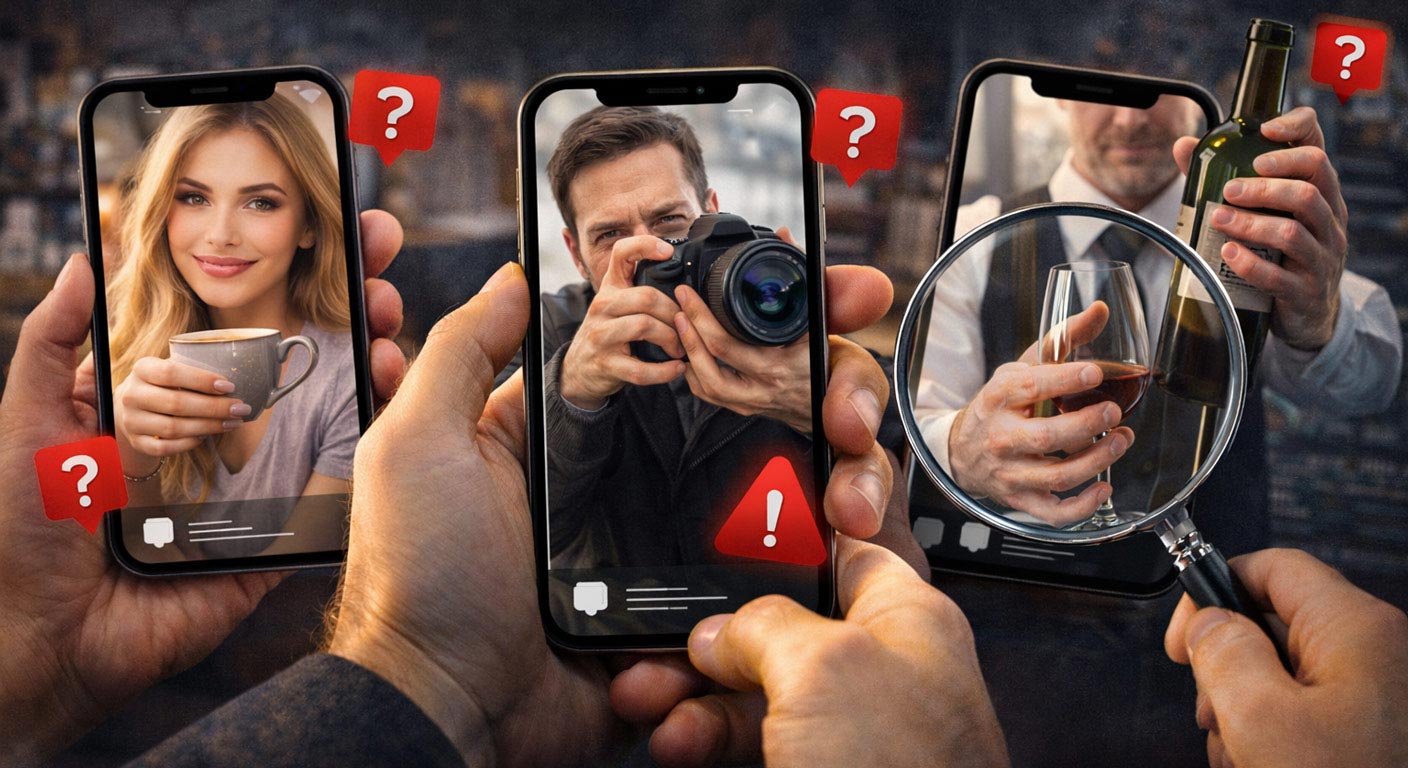

AI Images • Visual Tells • Hands
Faces are getting scary good. Backgrounds are getting less “melty.” But hands? Hands are still the spot where a lot of AI images quietly fall apart. Here's why that happens, and how to catch it in seconds without turning into a pixel detective.
Reading time:~12–15 minutes
Last updated:April 16 2026
If you've ever looked at an image and thought, “Wait… what is that hand doing?” you're not alone. The internet has collectively learned a weird new skill: finger counting. Not because we all suddenly got into anatomy, but because hands are one of the last places AI image generators still regularly trip over themselves.
And to be clear: AI hand mistakes aren't just funny screenshots for group chats. They're useful signals. If you're trying to tell whether a profile photo, a “news” image, or a too-perfect influencer pic is AI-generated, hands are still one of the fastest reality checks you've got.
Quick takeaway: You're not looking for a single “gotcha.” You're looking for clusters of weird: extra fingers, impossible grips, jewelry that melts, skin that blends into objects, and lighting that doesn't match the scene.
Let's break down (1) why hands are so hard for AI, (2) the most common tells, and (3) a simple routine you can run in under 10 seconds. If you want to sharpen your instincts while you read, play a few rounds of AI vs real images on AIorNot.us.
Why hands are hard for AI
Here's the non-technical version: hands are tiny, complicated machines. Lots of joints, lots of angles, lots of overlapping parts, and a million ways to look “normal” while being hard to model. Your brain is also extremely sensitive to them because you've watched hands do real tasks your whole life. You might not know the names of the bones, but you know when something feels off.
Why AI Hands Look So Weird - Insight Into AI's StrugglesHands are not one shape - they're a moving system
A face can be treated like a relatively stable template: eyes, nose, mouth, and some variation. A hand is a system with multiple moving parts: fingers bend independently, thumbs rotate in ways that confuse 2D images, and hands constantly interact with objects (cups, phones, steering wheels, jewelry, sleeves).
AI is great at “texture.”Skin texture, pores, fabric weave, bokeh, lighting vibes, the stuff that reads as photoreal at a glance.
AI struggles with “structure.”Where things connect, how joints articulate, how objects are held, and how fingers wrap around edges.
The training data problem (and why it shows up in fingers)
Image models learn patterns from tons of images. But hands in photos are often partially hidden: cropped out, blurred by motion, stuck in pockets, hidden behind a phone, or out of focus. That means the model sees fewer “clean” examples of hands doing clear tasks at high resolution. So it becomes more likely to hallucinate structure when it has to invent details.
In addition to strange look hands here are some The Visual Hallmarks Of An AI ImageHands touch things - and contact is hard
A lot of AI mistakes happen at boundaries: where fingers meet a glass, where a ring meets skin, where a sleeve meets a wrist, where a thumb presses a phone screen. Real photos have consistent contact: pressure changes, shadows, wrinkles, and believable grip. AI sometimes smears those boundaries like it's painting over a mistake.
The most common AI hand tells
Let's get practical. Here are the tells you'll see over and over, not just on meme images, but on the stuff people actually fall for: dating profiles, scam pitches, “before/after” ads, fake influencer posts, and viral “news” images.
Quick Guide For Spotting AI Images Like A Pro Presented By AiorNot.US1) Extra fingers (or missing fingers)
The classic. Sometimes it's six fingers. Sometimes a finger fades into the palm. Sometimes two fingers share one knuckle like they're in a weird roommate situation. It's gotten rarer - but it still happens, especially on “busy” images where hands are small or partially blocked.
2) Thumb physics that don't make sense
Thumbs are the troublemakers. They rotate differently than fingers, and they attach at an angle that's hard to fake. Watch for thumbs that look pasted on, too long, too short, bending the wrong way, or coming from a suspicious location.
3) Jewelry that melts into skin
Rings, bracelets, watches - these are frequent giveaways because they create hard edges and reflections. Look for:
- Rings that warp around the finger like rubber
- Bracelets that change thickness or disappear behind the wrist
- Watch straps that don't connect cleanly
- Metal reflections that don't match the light direction
4) Impossible grips
This is the sneaky one. The hand might have five fingers, but the grip is wrong. A cup held with a thumb that doesn't actually touch the handle. A phone “floating” in the palm. A camera being held like a brick instead of a tool. If you try to mimic the grip in real life and it feels impossible, that's a strong signal.
Fast test: Ask yourself: “If I held this object that way, would it fall?” If the answer is yes, you probably found your tell.
5) Weird finger spacing and symmetry
Real hands have personality: uneven spacing, slight bends, tiny asymmetries. AI hands can look like they were “arranged” rather than used - fingers evenly spaced, too straight, or posed like a mannequin.
6) Knuckles and joints that don't track
Fingers bend at joints. When a finger is curled, you expect knuckles to show in certain places. AI can create bends that don't correspond to believable joints - like a finger has a hinge in the middle of the bone.
7) Skin and nails that look “printed”
Sometimes the hand looks like it has a skin texture, but the nails are too uniform, the cuticles are missing, or the nail edges blend into the finger. On close-up images, this can show up as a plastic, airbrushed look.
8) Shadows that don't match the hand
Lighting is where AI can be convincing until you look at contact shadows. Fingers should cast small shadows on objects they touch. A hand holding a glass should create consistent shadow lines and reflections. If the shadowing looks “generic,” you might be looking at a generated image.
The quick check you can do every time
You don't need a lab. You need a repeatable routine - something you'll actually do when you're scrolling fast. Here's the “AI hand check” that takes about 8–10 seconds once you get used to it.
1) Countthe fingers (don't forget the thumb).
2) Traceone finger from nail → knuckle → base. Does it connect cleanly?
3) Check the grip. Is the object actually being held?
4) Scan jewelry(rings/watches/bracelets) for melting, warping, or broken straps.
5) Check shadowsat contact points (finger edges, under the palm, on the object).
Pro tip: Hands are often small in images. If your phone lets you zoom, zoom once - not 15 times. Over-zooming can make real photos look “weird” too. You're looking for obvious inconsistencies, not microscopic sins.
Its only always just the stange hands that gives away an AI image. We Explore How Many Images Online Are AI GeneratedContext matters: how scammers use “hand safe” photos
Here's something scammers and fake-profile builders learned: if hands are a giveaway, then hide the hands. You'll often see fake profiles use images that avoid hands entirely:
- Close-up face selfies
- Hands in pockets
- Arms crossed (hands tucked)
- Phone covering half the body
- Heavy blur or filters
That doesn't prove it's fake. But if you notice the profile never shows hands clearly across multiple photos, it's worth treating as a caution sign - especially if other red flags stack up (vague answers, off-app pressure, weird urgency).
Reality check: Scams aren't “AI” or “not AI.” They're layered. A fake profile might use a real face photo and an AI-generated “candid.” Or vice versa. That's why you look at patterns across images and behavior, not one single photo.
How to practice spotting AI hands
The fastest way to improve is reps. Your brain learns quickly when it sees lots of examples and gets feedback. That's why “spot the AI” games work - and why you can get surprisingly good in a weekend.
- Look at hands first on any suspicious image - before your brain gets distracted by the face.
- Compare across photos. Does the person's hand shape and size feel consistent?
- Practice with mixed sets (real + AI) so you don't start seeing ghosts everywhere.
If you want a quick training loop, play a few rounds on AIorNot.us, and make “hands first” your default habit.
Hands in the wild: quick scenarios where AI slips
If you want to catch AI hands faster, it helps to know where generators tend to get overconfident. In a clean studio portrait, a model might not even show hands - and if they do, the pose can be simple. But the moment hands have to do work, error rates jump. Here are a few real-world “watch this area” scenarios where AI slips more often than you'd expect.
People holding drinks
Cups and glasses are brutal because they require believable grip pressure, finger placement, and reflections. AI often places fingers in a way that looks fine until you ask one question: “Where is the thumb actually supporting this?” If the object seems to float, or the fingers wrap without contact shadows, you've got a clue.
Phone-in-hand selfies
This is ironic, because phone selfies are everywhere, which means they're common in training data, but they still break models. Watch for fingers that merge into the phone edge, a palm that looks smeared, or a phone that appears to have no thickness. The giveaway is usually at the boundary where skin meets the device.
Tools, instruments, and anything with a handle
Cameras, guitars, steering wheels, wine bottles, microphones - anything with a handle forces the model to commit to geometry. AI sometimes “fakes” the idea of grip instead of actually wrapping fingers around the shape. If you can't imagine how the person would move the object without dropping it, you're seeing the illusion.
Shortcut: hands + objects + motion is where weirdness shows up fastest. If you're scanning quickly, prioritize those images.
FAQ
Are AI hand errors still common in 2026?
They're less common than a couple years ago, but they still show up frequently - especially in complex scenes, small hands, motion blur, and images where hands interact with objects (cups, phones, tools, instruments).
Can a real photo look like it has “AI hands”?
Yes. Low resolution, motion blur, weird angles, lens distortion, and compression can make real hands look strange. That's why you look for multiple inconsistencies and check the whole image, not just one pixel-level artifact.
What's the single fastest tell?
A hand holding an object in an impossible way. Finger count is quick, but “impossible grip” is often the strongest signal.
Should I always rely on hands to judge an image?
Hands are a great signal, but not the only one. Combine hand checks with other tells (text artifacts, background geometry, inconsistent lighting, and behavior patterns if it's tied to a profile or scam).
Bottom line
Hands are still the weak spot because they're complex, they move, and they touch things - and that's hard to synthesize perfectly. If you build the habit of scanning hands first, you'll catch a surprising number of AI images before they ever “feel” suspicious.