
What to Know Before Using a Free AI Image Generator
-
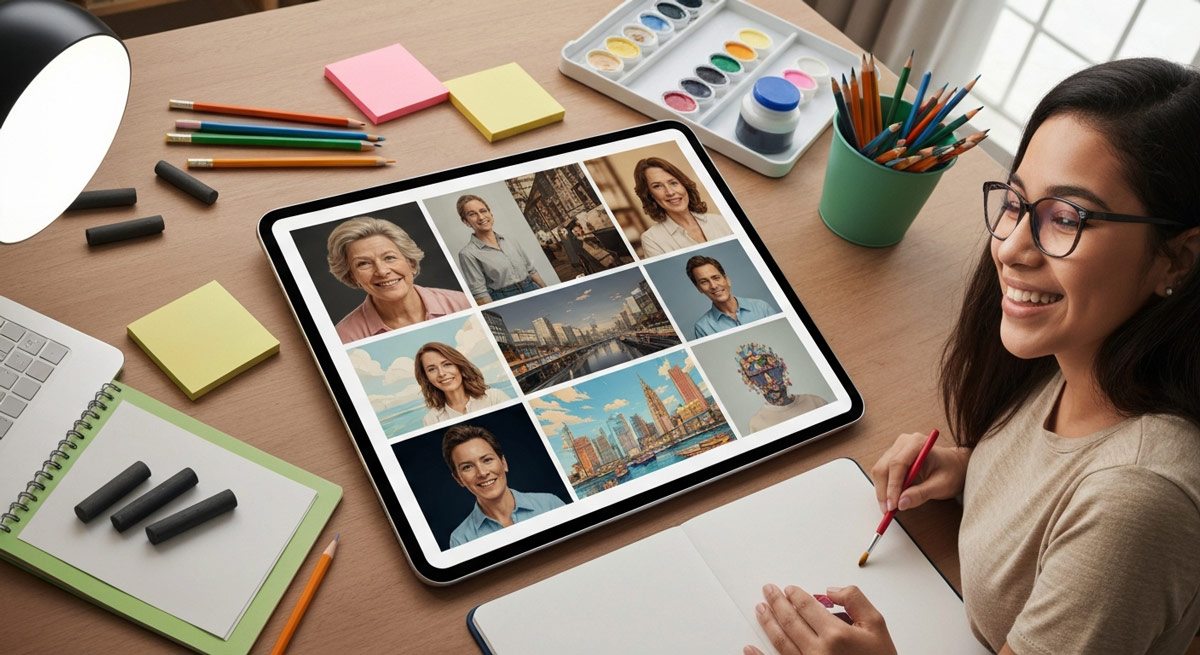
Free AI image generators can be surprisingly useful when you need visuals fast. Maybe you’re building a blog post, testing a landing page, or trying to mock up an ad concept before paying a designer. Tools like MyEdit, Stable Diffusion, and other free AI image platforms can turn a simple idea into a usable visual without requiring a full creative budget.
-
The quality of the image usually comes down to the prompt. A vague request like “make a dog” may give you something basic, but a more detailed prompt with lighting, style, setting, and mood can produce a much stronger result. That’s why learning how to write better AI image prompts matters if you want realistic photos, sharper details, and visuals that match the idea in your head.
-
Community examples can also save you a lot of trial and error. When you study shared prompts, image styles, and before-and-after examples, you start to see what works. A creator making product mockups, for example, may use a totally different prompt structure than someone generating fantasy art or social media graphics.
-
Before choosing a tool, it helps to understand what an AI image generator does and how AI image generation works. The best options usually give you room to customize details, adjust image size, improve resolution, and refine the final output instead of accepting the first result.
-
Editing matters too. Even a strong AI-created image may need cleanup, cropping, color correction, or small fixes before it looks ready to publish. Free online editing tools can help polish the final version so it feels less like a rough AI output and more like something that belongs on your website, ad, or social post.
-
The biggest mistake is expecting perfect results on the first try. AI image generation is usually a process of testing, adjusting, and tightening the prompt until the image looks right. If the hands look strange, the background feels off, or the image doesn’t match your intent, don’t scrap the whole idea. Refine the details and run another version.
If you want a deeper look at the process from prompt to finished visual, this step-by-step guide to how AI image generators create photos from words explains how text prompts become images and what you can do to get better results.
How to Create Realistic AI Images Without Spending Money
Need a sharp image for a blog post, social media graphic, product mockup, or ad concept, but don’t want to pay for a full design round? Free AI image generators make that possible. You don’t need to be an artist or a technical expert either. With the right tool and a clear prompt, you can turn a simple idea into an image that feels polished, realistic, and ready to use.
Simple Ways to Get Better Results From AI Image Generators
The trick is knowing how to describe what you want. A basic prompt might give you an okay image, but a stronger one adds context, style, lighting, setting, and purpose. For example, “a woman working on a laptop” is fine. “A realistic photo of a young professional working on a laptop in a bright coffee shop, natural light, modern lifestyle style” gives the image generator much more to work with.
From there, it’s about testing and improving. Try different prompt versions, study community examples, and use free editing tools to clean up small flaws after the image is created. AI image generation isn’t always perfect on the first try, but with a few adjustments, you can create high-quality visuals that look natural without spending a fortune.
1. Use Free AI Image Generators Like DALL·E, Stable Diffusion, and Craiyon
The first thing you need to do to create great artworks is to choose the best ai image generators with free plans. A lot of platforms let you use free credits or free versions, so you can try them out without paying. Some of these tools make it easy for beginners who are new to graphic design. Others have stronger features for people with more experience.
There are several online AI image generators that work well for personal use and social media content. MyEdit is the best pick if you want high-quality images and an easy-to-use setup. Stable Diffusion stands out because it has a huge set of prompts, so it helps you learn how to get better results. Picsart is the one that lets you easily share your ai image creations as social media content. DALL·E 3, which works with ChatGPT, is good for making detailed prompts from your simple ideas.
When you pick a free ai image creator, there are some things you should look at. Find out what the ai image tool is good at. It helps you get the best out of the ai and the creator you use for making pictures. A good image creator can make your work feel easy and even fun. If you know these things, you will choose the right ai image creator for you.
MyEdit: This is good if you want top quality and many styles to choose from. It works well for both portraits and landscapes. Try Myedit Here >>
Picsart: This tool is helpful for graphic design. You can use it to make logos, social media content, and marketing materials. Try Picart Here >>
Stable Diffusion: Beginners like this one. It comes with a prompt database that you can search and use. Try Stable Diffusion Here >>
2. Optimize Prompts for Realism Using Advanced Prompt Engineering
The secret to making photorealistic images with an ai image generator is in your text prompts. Prompt engineering means giving clear text descriptions to guide the generator. When text prompts are too plain, the ai image will be average. When text descriptions are detailed, it can help the ai image generator make a better, lifelike picture. If you think like a photographer or artist, you will have a good chance to get the best results and better image quality from the ai.
If you want to get better results with your prompts, be more descriptive. Do not just say "a castle." You could say, "a castle covered with snow on a mountain, with tall pine trees, and warm light in the morning that makes soft shadows." When you add this kind of detail, you help the ai picture what you want. This will lead you to better artworks.
Here are some tips for better prompt engineering:
Be Descriptive: Give details like colors, lighting, where things are, and how it feels.
Add Style Tags: Pick words like "cinematic," "photorealistic," "watercolor," or "3D render" to show what style you want.
Use Negative Prompts: Tell the ai what you do not want in the image. This helps keep out things you do not like.
The same idea applies to AI writing tools too. Just like better prompts create stronger AI-generated images, the way you structure instructions can completely change how natural AI-written content sounds. People getting the best results usually spend time refining tone, style, and context instead of relying on one-line prompts, which is why these practical prompt techniques for training AI to write in your voice have become so useful for creators and marketers trying to make content feel more human.
3. Take Advantage of Community-Shared Resources and Styles
You do not need to begin from nothing each time you use a generative ai tool. A lot of platforms have active groups where people share what they make, their prompts, and the ways they set their styles. Being part of these groups is a good way to learn new tricks and get ideas for your artworks. You can find social and community features at places like NightCafe and Midjourney.
These resources can be really helpful for you to get better at image generation. For example, Stable Diffusion has a huge database of prompts. You can search this database to see what works for other people. On websites like NightCafe, you can join contests every day. You get feedback on your images from others. You can also follow creators and see the work they make. This way, you learn more about image generation and diffusion over time.
Here's how to tap into community resources:
Explore Prompt Databases: Look for platforms that have prompt libraries you can search. This can help you to get ideas. You can also see strong examples to learn from. A Great Prompt Database >>
Join Community Forums: Take part in places like Discord servers or forums made for tools such as Midjourney and OpenArt. You will get help and tips from other people there.
Browse Shared Artworks: Check out the things other users make. It is good for finding new styles and ideas in artworks.
Once you start experimenting with AI image generation, it helps to study what strong prompts and polished outputs actually look like in the real world. Seeing the styles, lighting, realism, and creative direction other people are producing can spark entirely new ideas for your own projects, which is why so many creators browse collections featuring some of the best AI-generated images and visual trends shaping 2026 before building their next concept.
4. Compare Output Quality Between Different Free Platforms
Not every free ai image generator works the same way. You will see that the quality of the output changes a lot from one tool to another. It is a good idea to try a few out before you decide which one you like best. Some of these ai tools can make very photorealistic images, while some do well with more artistic styles. If you put these tools next to each other and compare, you can find one that fits what you want. This helps you get good results whether you need pictures for social media or for your marketing materials.
When you check out a free AI art generator, focus on how well it understands what you ask for and how good the final image looks. See if it does a good job with hard prompts or long requests. Take a look at the textures and how light looks in the picture. To find the ai art generator that gives you the best results, try the same prompt on each generator. This will help you know which one gives the image quality you want for your work.
Here is a quick look at some popular free platforms and how they stack up:
Platform |
Best For |
Key Feature |
|---|---|---|
Overall Quality & Environments |
AI Outfit and Scene generation from text |
|
Generative Fill Tool |
Negative prompts and live suggestions |
|
Users struggling with prompts |
Hundreds of specific styles to start with |
|
Prompt searching and learning |
A database of 12 million searchable prompts |
|
Graphic Design & Social Media |
AI Replace tool for easy editing |
AI-generated visuals aren’t just being used by hobbyists anymore. Major brands are already testing AI images in ads, product mockups, social campaigns, and landing pages because it lets them create fresh creative concepts faster and at a lower cost. In many cases, people scrolling through those campaigns don’t even realize the visuals were generated with AI, which is exactly why more companies are paying attention to how big brands are using AI-generated images to improve engagement and drive sales.
5. Edit and Enhance Results with Free Online Photo Editors
Your work does not end right after you use the AI image tool. To make your image look real, the last thing you need to do is post-editing. A lot of free AI image generators, such as Picsart and MyEdit, have their own image editor. You can also pick a free photo editor online to fix your ai artworks. With lets say some easy changes, you can see the image quality go up so much at the end.
These editing tools come with features made for enhancement and customization. You can take out things you don't want, change colors and lighting, and make details feel sharper. You are also able to use ai features to replace parts of the image. This gives you more control over your ai image. You can keep working on it until you feel it looks just right. This is an important tip to get good results from free ai image tools.
Focus on these adjustments for the biggest impact:
Object and Background Removal: You can clean up your picture by taking out things that distract from it.
Image Enhancement: Use ai tools to make your image more clear, bright, and balanced in color.
Generative Fill/Replace: Pick a spot in the picture, then use a new prompt to add or change what is shown there.
Essential Features to Look for in Free AI Image Generators
When you want to find the best free AI image generator, it helps to know what features to look for. Learn About All Things AI Image Related On AIorNot.US The top ai image generator tools give you both power and ease of use. You get control, but you don't have to spend much time learning how to use it. A good ai image generator lets you make changes that suit your style. It works with different looks and makes clear, high-quality images.
Looking for these things can help you make a real-looking ai image for your project. In the next parts, we will talk about why it's important to have an easy-to-use layout and how making high-quality, flexible images matter for ai work.
User-Friendly Interface and Customization Options
It is important to have an easy interface when you start making images with ai online. The best online ai image generators let you make an artwork from a simple idea. You do not feel lost in the process. This makes it easy for both beginners and people who have used ai before.
Platforms like MyEdit and Picsart help new users make their own ai image. They give you clear steps. Their controls are simple, so you can create your artworks with no trouble. This way, you can feel good about using ai even if it is your first time trying image generation online.
Great customization options in an image creator help you shape your ideas the way you want. A good creator gives you more than the text box. You get tools like style presets and sliders to change the aspect ratio. Being able to use negative prompts lets you adjust the output to fit your needs. For instance, DreamStudio lets you access deeper settings. This is good for people who want more control over the diffusion.
Look for these things in the interface and how you can change it:
Style Presets: There be ready-made looks like "anime," "photorealistic," and "watercolor." These help you get started fast.
Aspect Ratio Controls: You can set the size of your image, like for a header image or social media. This is easy to do.
Negative Prompts: There is an option to say what you do not want in the last image.
A lot of people still think AI prompting is just typing random commands into a chatbot, but the gap between a weak prompt and a great one can completely change the final result. Whether you’re generating realistic AI images, writing content, or building marketing assets, the people getting the best outputs usually know how to guide the AI clearly and with detail. That’s why more professionals are starting to treat AI prompting skills as an essential part of modern digital communication, similar to how email became a required skill years ago.
High-Resolution Output and Style Versatility
To make art look real and be ready to use, you must have high-resolution output. A low-resolution ai image can be okay when it is small, but if you use it for marketing materials or want to print it, it will look blurry and not good. The best ai image generators let you download your artworks in high quality. That helps them be sharp and clear no matter if you use them online or in print.
Style versatility is very important to help you be creative. A good generator will give you many choices. You can pick from photorealistic images and a range of styles. These may be more abstract or have an anime feel. This makes it easy to find the right look for your project. It also matters if you can use customization in the tool and make small changes to the styles you like.
Here's what you should look at when it comes to good quality and style:
Resolution Settings: You need to find settings that let you make and download images with high resolution.
Variety of Styles: The generator should have a good range of styles. This helps you get what you want for your own ideas.
Aspect Ratio Options: Check if you can use the generator to make images in different shapes, like square, landscape, or portrait.
Where AI Image Creation Goes From Here
At the end of the day, creating realistic AI images no longer requires expensive software or a professional design background. People are using free AI image generators to build everything from blog graphics and social media posts to ad creatives and product concepts without spending hundreds on custom artwork. The biggest difference usually comes down to patience and experimentation. The more you refine your prompts, test different styles, and study what works, the better your images start to look.
Some of the strongest results come from combining a good AI image generator with simple editing tools and ideas picked up from other creators in the community. One small tweak to lighting, background details, or prompt wording can completely change the final image. Over time, you start developing an eye for what feels realistic and what still looks artificial. If you’ve been curious about AI-generated art, this is probably the best time to start experimenting. The tools are improving fast, the learning curve is lower than most people expect, and there’s never been easier access to creating high-quality visuals on a budget.Frequently Asked Questions
Is it legal and safe to use images created with free AI generators for my projects?
The rules around ai image and ai image generator are a bit tricky in the U.S. Most ai-generated images are not protected by copyright here. It is legal to use a free ai image generator, but you need to read the website's terms. This is very important if you want to use your image for marketing materials or for business. Always be sure the platform gives you permission for commercial use, so you are safe.
How can I make sure my AI-generated images look photorealistic without advanced skills?
To get photorealistic images, you need to focus on your prompts. Use detailed words to say what you want, like the lighting, what the surface looks like, and where the camera will be. Make sure you pick a "photorealistic" style in your AI image generator. After the ai image is made, you can use a free online editor. This helps change things like color or sharpness. These small steps can really make your image quality better.
What common mistakes should I avoid when using free AI image tools for realistic results?
Do not use one-word prompts. They will get you very basic results from an ai art generator. Make sure to say the style you want and the aspect ratio you need. A lot of people forget to work on the image after it has been made. A few changes made with an image editor can make the image quality much better. That easy step helps you get the most from your generator and ai.